Install guide · recorded with v0.14.9 · 2026-10-23
From three bare machines to a first answer.
Every screen on this page is from a real install: three fresh Ubuntu 24.04 machines and the release anyone can download. The only change made beforehand was turning SSH password login on, as a stock Ubuntu server has it. Read the step, see the screen, or press play and watch the session as it ran.
Step 0
Before you start
One machine, or three for high availability. Check each one first; the setup screens check them again before they install anything.
| Machines | One, or three for high availability: each of the three can run the gateway, two keep the store replicated, and losing any one loses nothing. |
| System | Ubuntu 22.04 or 24.04, Debian 12 or RHEL 10; x86-64 or ARM64. |
| Size | At least 2 CPUs and 3.5 GB of memory on each; 15 GB of free disk on the first machine and 30 GB on the two that keep the store. |
| Clock | Synchronised: the machines must agree within a second. |
| Network | The machines reach one another. Users reach the gateway on 8080; nodes reach 7443 and 8081. Internet access to download engines and models, or an offline bundle. |
| Access | sudo on every machine. SSH from the first machine to the other two, with a password, a key or the ssh agent; a machine nothing may log into joins with a code instead. |
| Names | A hostname of its own on each machine. It becomes the machine's name in the cluster. |
| GPU nodes | Added later, with the NVIDIA driver installed. llmgw installs llama.cpp, vLLM, Python and CUDA itself. |
Memory, when the first machine also serves models. In this recording it runs the starter model and both guardrail judges, and needs 12 GB; the setup checks this before it installs anything, and says what to turn off on a smaller machine.
The same checks by hand, on each machine:
grep PRETTY_NAME /etc/os-release; uname -m; nproc; free -h | grep Mem; df -h /
timedatectl | grep synchronized; curl -sI https://gitea.mynodes.xyz | head -1
ping -c1 <second machine>; ping -c1 <third machine>
sudo -v && echo "sudo works"
sudo hostnamectl set-hostname llm-1 # a name of its own, on each machineSystem clock synchronized: yes HTTP/2 200 ilker@lgwt-1:~$ # 3/5: the three machines reach one another. ilker@lgwt-1:~$ for m in 10.77.0.12 10.77.0.13; do ping -c1 -W1 $m >/dev/null && echo "$m answers"; done 10.77.0.12 answers 10.77.0.13 answers ilker@lgwt-1:~$ # 4/5: sudo works (llmgw installs services). ilker@lgwt-1:~$ sudo -v && echo "sudo works" [sudo] password for ilker: sudo works ilker@lgwt-1:~$ # 5/5: every machine has a name of its own. It becomes its name in the cluster. ilker@lgwt-1:~$ sudo hostnamectl set-hostname llm-1 ilker@lgwt-1:~$ ssh ilker@10.77.0.12 sudo hostnamectl set-hostname llm-2 The authenticity of host '10.77.0.12 (10.77.0.12)' can't be established. ED25519 key fingerprint is SHA256:VbApWpUcyZPpOAsiQgVtlpfk+mGK9WlLMIPE7VBmcT4. This key is not known by any other names. Are you sure you want to continue connecting (yes/no/[fingerprint])? yes Warning: Permanently added '10.77.0.12' (ED25519) to the list of known hosts. ilker@10.77.0.12's password: ilker@lgwt-1:~$ ssh ilker@10.77.0.13 sudo hostnamectl set-hostname llm-3 The authenticity of host '10.77.0.13 (10.77.0.13)' can't be established. ED25519 key fingerprint is SHA256:zVZCXbDvVw1RVDcEgLDUiSVFElid1SFlKHyuHIKjqRc. This key is not known by any other names. Are you sure you want to continue connecting (yes/no/[fingerprint])? yes Warning: Permanently added '10.77.0.13' (ED25519) to the list of known hosts. ilker@10.77.0.13's password: ilker@lgwt-1:~$ exec bash ilker@llm-1:~$ hostname; ssh ilker@10.77.0.12 hostname; ssh ilker@10.77.0.13 hostname llm-1 ilker@10.77.0.12's password: llm-2 ilker@10.77.0.13's password: llm-3 ilker@llm-1:~$
Step 1
Get llmgw
One static file, the same on every machine. Only the first needs it: setup copies it to the others.
The latest release, its checksum checked. sha256sum must say OK; if it does not, the download is damaged.
VERSION=$(curl -fsSL https://gitea.mynodes.xyz/api/v1/repos/ilker/llmgw/releases/latest \
  | grep -o '"tag_name":"[^"]*"' | cut -d'"' -f4)
U=https://gitea.mynodes.xyz/ilker/llmgw/releases/download/$VERSION
curl -fsSLO $U/llmgw-$VERSION-linux-amd64          # -linux-arm64 on ARM
curl -fsSL $U/checksums.txt | sha256sum -c --ignore-missing
sudo install -m0755 llmgw-$VERSION-linux-amd64 /usr/local/bin/llmgw
llmgw --versionilker@llm-1:~$ # Step 1: put llmgw on the first machine. The latest release, its checksum checked. ilker@llm-1:~$ VERSION=$(curl -fsSL https://gitea.mynodes.xyz/api/v1/repos/ilker/llmgw/releases/latest | grep -o '"tag_n ame":"[^"]*"' | cut -d'"' -f4) ilker@llm-1:~$ U=https://gitea.mynodes.xyz/ilker/llmgw/releases/download/$VERSION ilker@llm-1:~$ curl -fsSLO $U/llmgw-$VERSION-linux-amd64 ilker@llm-1:~$ curl -fsSL $U/checksums.txt | sha256sum -c --ignore-missing llmgw-v0.14.9-linux-amd64: OK ilker@llm-1:~$ sudo install -m0755 llmgw-$VERSION-linux-amd64 /usr/local/bin/llmgw ilker@llm-1:~$ llmgw --version llmgw version v0.14.9 ilker@llm-1:~$
Step 2
Set up
With nothing installed, llmgw opens its setup screens. They ask, check every machine, show the plan, and install.
On the first machine:
sudo llmgwKeyboard only: arrows to move, Space to turn a part on or off, Enter to open its settings or go on, Esc to go back. It works over a serial console too.
 llmgw setup                                                                               llm-1 · 10.77.0.11 · v0.14.9
╭─ Steps ────────────────╮╭─ Start ────────────────────────────────────────────────────────────────────────────────────╮
│› Start                 ││                                                                                            │
│  Choices               ││  Nothing of llmgw is installed on llm-1.                                                   │
│  Machines              ││                                                                                            │
│  Checks                ││  ( ) One machine                                                                           │
│  Plan                  ││      This machine runs everything: control plane, model mirror,                            │
│  Install               ││      and models if it has room.                                                            │
│                        ││                                                                                            │
│                        ││  (•) High availability — three machines                                                    │
│                        ││      Each of the three can run the gateway; two keep the store, replicated,                │
│                        ││      and etcd votes on all three, so losing any one machine loses nothing.                 │
│                        ││                                                                                            │
│                        ││                                                                                            │
│                        ││                                                                                            │
│                        ││                                                                                            │
│                        ││                                                                                            │
│                        ││                                                                                            │
│                        ││                                                                                            │
│                        ││                                                                                            │
│                        ││                                                                                            │
│                        ││                                                                                            │
│                        ││                                                                                            │
│                        ││                                                                                            │
│                        ││                                                                                            │
│                        ││                                                                                            │
│                        ││                                                                                            │
│                        ││                                                                                            │
│                        ││                                                                                            │
│                        ││                                                                                            │
│                        ││                                                                                            │
│                        ││                                                                                            │
╰────────────────────────╯╰────────────────────────────────────────────────────────────────────────────────────────────╯
 ↑↓ choose · Enter go on · Ctrl+C leave
One machine or three. Nothing of llmgw is installed yet, so the setup starts here. One machine runs everything; three are high availability.
 llmgw setup                                                                               llm-1 · 10.77.0.11 · v0.14.9
╭─ Steps ────────────────╮╭─ What to install ──────────────────────────────────────────────────────────────────────────╮
│✓ Start                 ││                                                                                            │
│› Choices               ││  Space turns a part on or off · Enter opens its settings and says more                     │
│  Machines              ││                                                                                            │
│  Checks                ││   •  Control plane               administrator admin@example.com · English · sign-up cl…   │
│  Plan                  ││   •  Store                       PostgreSQL under Patroni, on the other two                │
│  Install               ││  [x] Control plane on all three  two standbys; no floating address                         │
│                        ││  [x] Model mirror                on this machine, in /srv/models                           │
│                        ││  [x] This machine as a node      serves models here, on its GPUs or its CPU                │
│                        ││  [x] Starter model               qwen2.5-0.5b-instruct (0.5 GB), 4096 tokens               │
│                        ││  [ ] Pictures and 3D             no pictures or 3D until a preset is added from the con…   │
│                        ││  [x] Guardrails' judge           Qwen3Guard ×2 on CPUs, 5 categories, unanswered: refuse   │
│                        ││  [x] Firewall                    internal ports to the cluster's networks only             │
│                        ││  [ ] Notifications               nothing is said outside the dashboards                    │
│                        ││   •  Limits and keys             60 requests and 200000 tokens a minute; keys live 90 d…   │
│                        ││   •  Taking turns on a card      after 2m unused; safe for 5m after loading                │
│                        ││  [ ] Offline bundle              engines and models are downloaded from the internet       │
│                        ││                                                                                            │
│                        ││   Next                                                                                     │
│                        ││                                                                                            │
│                        ││                                                                                            │
│                        ││                                                                                            │
│                        ││                                                                                            │
│                        ││                                                                                            │
│                        ││                                                                                            │
│                        ││                                                                                            │
│                        ││                                                                                            │
│                        ││                                                                                            │
│                        ││                                                                                            │
│                        ││                                                                                            │
│                        ││                                                                                            │
╰────────────────────────╯╰────────────────────────────────────────────────────────────────────────────────────────────╯
 ↑↓ move · Space on/off · Enter settings, or on Next go on · Esc back · Ctrl+C leave
Every part, on or off. Enter on a part opens its settings and says what it does. Here this machine is also a node, with the small starter model, so there is something to ask the moment the install ends.
 llmgw setup                                                                               llm-1 · 10.77.0.11 · v0.14.9
╭─ Steps ────────────────╮╭─ What to install ──────────────────────────────────────────────────────────────────────────╮
│✓ Start               ╔═ Control plane ═══════════════════════════════════════════════════════╗                       │
│› Choices             ║                                                                       ║re                     │
│  Machines            ║  The gateway every request comes through, the admin API, the web      ║                       │
│  Checks              ║  portal on port 8080, and the certificate authority that signs        ║nglish · sign-up cl…   │
│  Plan                ║  every node's identity. Always installed: it is what llmgw is.        ║her two                │
│  Install             ║                                                                       ║                       │
│                      ║  Its authority's key stays in /etc/llmgw/pki on this machine. Back    ║                       │
│                      ║  it up: nothing recovers it.                                          ║r                      │
│                      ║                                                                       ║ed                     │
│                      ║  › Administrator's email                                              ║ added from the con…   │
│                      ║      > admin@example.com█                                             ║, unanswered: refuse   │
│                      ║      A password is made for this account and shown once, at the       ║works only             │
│                      ║      end.                                                             ║rds                    │
│                      ║                                                                       ║ute; keys live 90 d…   │
│                      ║    Other names nodes reach this machine by                            ║loading                │
│                      ║      > llm.example.com, 203.0.113.10                                  ║rom the internet       │
│                      ║      Already in its certificate: 10.77.0.11. Add a DNS name, a NAT    ║                       │
│                      ║      address or a floating address, comma-separated.                  ║                       │
│                      ║                                                                       ║                       │
│                      ║    The portal speaks                                                  ║                       │
│                      ║      (•) English  ( ) Türkçe                                          ║tal on port 8080,      │
│                      ║      To a browser that asks for neither. Each person can switch at    ║ays installed: it      │
│                      ║      the foot of any page.                                            ║                       │
│                      ║                                                                       ║                       │
│                      ║    Sign-up form                                                       ║t up: nothing          │
│                      ║      (•) closed  ( ) open                                             ║                       │
│                      ║      Accounts are made by an administrator, or come from single       ║                       │
│                      ║      sign-on.                                                         ║                       │
│                      ║                                                                       ║                       │
│                      ╚═══════════════════════════════════════════════════════════════════════╝                       │
╰────────────────────────╯╰────────────────────────────────────────────────────────────────────────────────────────────╯
 Tab/↑↓ move · Esc done
The control plane's settings. The administrator's email (a password is made for it and shown once, at the end), other names nodes reach this machine by, the portal's language, and whether people may sign up.
 llmgw setup                                                                               llm-1 · 10.77.0.11 · v0.14.9
╭─ Steps ────────────────╮╭─ Database machines ────────────────────────────────────────────────────────────────────────╮
│✓ Start                 ││                                                                                            │
│✓ Choices               ││  The two machines that keep the store: Ubuntu 22.04/24.04 or Debian 12.                    │
│› Machines              ││  PostgreSQL, Patroni and etcd are installed on them.                                       │
│  Checks                ││                                                                                            │
│  Plan                  ││  Database machine 1                                                                        │
│  Install               ││    Address         > 10.77.0.12                                                            │
│                        ││    User            > ilker                                                                 │
│                        ││    Log in with       ( ) ssh agent  ( ) key file  (•) password  ( ) join code              │
│                        ││    Password        > ••••••••••••••••                                                      │
│                        ││    Sudo password   > only if sudo asks for one                                             │
│                        ││                                                                                            │
│                        ││  Database machine 2                                                                        │
│                        ││    Address         > 10.77.0.13                                                            │
│                        ││    User            > ilker                                                                 │
│                        ││    Log in with       ( ) ssh agent  ( ) key file  (•) password  ( ) join code              │
│                        ││    Password        > ••••••••••••••••                                                      │
│                        ││    Sudo password   > only if sudo asks for one                                             │
│                        ││                                                                                            │
│                        ││   Check the three machines                                                                 │
│                        ││                                                                                            │
│                        ││  Passwords are kept in memory only, for this setup.                                        │
│                        ││                                                                                            │
│                        ││                                                                                            │
│                        ││                                                                                            │
│                        ││                                                                                            │
│                        ││                                                                                            │
│                        ││                                                                                            │
│                        ││                                                                                            │
│                        ││                                                                                            │
│                        ││                                                                                            │
╰────────────────────────╯╰────────────────────────────────────────────────────────────────────────────────────────────╯
 Tab/↑↓ move · ←→ how to log in · Enter next · Esc back · PgUp/PgDn scroll
The machines that keep the store. Address, user, and how to log in: the ssh agent, a key file, a password or a join code. Passwords are kept in memory only, for this setup.
 llmgw setup                                                                               llm-1 · 10.77.0.11 · v0.14.9
╭─ Steps ────────────────╮╭─ Checks ───────────────────────────────────────────────────────────────────────────────────╮
│✓ Start                 ││                                                                                            │
│✓ Choices               ││  ✓ All three are ready.                                                                    │
│✓ Machines              ││                                                                                            │
│› Checks                ││  llm-1 (this machine)                                                                      │
│  Plan                  ││    ✓ login         logged in                                                               │
│  Install               ││    ✓ system        Ubuntu 24.04.5 LTS                                                      │
│                        ││    ✓ architecture  x86_64                                                                  │
│                        ││    ✓ cpus          4 CPUs (needs 2)                                                        │
│                        ││    ✓ memory        11961 MB (needs 3500)                                                   │
│                        ││    ✓ disk          36 GB free (needs 15)                                                   │
│                        ││    ✓ clock         within a second of this machine                                         │
│                        ││    ✓ ports         free                                                                    │
│                        ││    ✓ internet      reaches the package mirrors                                             │
│                        ││    ✓ network       reaches every other machine                                             │
│                        ││                                                                                            │
│                        ││  10.77.0.12                                                                                │
│                        ││    ✓ login         logged in                                                               │
│                        ││    ✓ system        Ubuntu 24.04.5 LTS                                                      │
│                        ││    ✓ architecture  x86_64                                                                  │
│                        ││    ✓ sudo          without a password                                                      │
│                        ││    ✓ cpus          4 CPUs (needs 2)                                                        │
│                        ││    ✓ memory        11961 MB (needs 3500)                                                   │
│                        ││    ✓ disk          36 GB free (needs 30)                                                   │
│                        ││    ✓ clock         within a second of this machine                                         │
│                        ││    ✓ ports         free                                                                    │
│                        ││    ✓ internet      reaches the package mirrors                                             │
│                        ││    ✓ network       reaches every other machine                                             │
│                        ││                                                                                            │
│                        ││  10.77.0.13                                                                                │
│                        ││  ↓ more — PgDn                                                                             │
╰────────────────────────╯╰────────────────────────────────────────────────────────────────────────────────────────────╯
 Enter see the plan · R check again · Esc back · PgUp/PgDn scroll
Every machine, checked before anything is installed: login, system, processor, CPUs, memory, disk, clock, ports, internet and whether the machines reach one another. Fix what fails and press R.
 llmgw setup                                                                               llm-1 · 10.77.0.11 · v0.14.9
╭─ Steps ────────────────╮╭─ Plan ─────────────────────────────────────────────────────────────────────────────────────╮
│✓ Start                 ││                                                                                            │
│✓ Choices               ││  Installed on llm-1                                                                        │
│✓ Machines              ││                                                                                            │
│✓ Checks                ││  ✓ Control plane                                                                           │
│› Plan                  ││      administrator admin@example.com · English · sign-up closed                            │
│  Install               ││  ✓ Store                                                                                   │
│                        ││      PostgreSQL under Patroni, on the other two                                            │
│                        ││  ✓ Control plane on all three                                                              │
│                        ││      two standbys; no floating address                                                     │
│                        ││  ✓ Model mirror                                                                            │
│                        ││      on this machine, in /srv/models                                                       │
│                        ││  ✓ This machine as a node                                                                  │
│                        ││      serves models here, on its GPUs or its CPU                                            │
│                        ││  ✓ Starter model                                                                           │
│                        ││      qwen2.5-0.5b-instruct (0.5 GB), 4096 tokens                                           │
│                        ││  ✓ Guardrails' judge                                                                       │
│                        ││      Qwen3Guard ×2 on CPUs, 5 categories, unanswered: refuse                               │
│                        ││  ✓ Firewall                                                                                │
│                        ││      internal ports to the cluster's networks only                                         │
│                        ││  ✓ Limits and keys                                                                         │
│                        ││      60 requests and 200000 tokens a minute; keys live 90 days                             │
│                        ││  ✓ Taking turns on a card                                                                  │
│                        ││      after 2m unused; safe for 5m after loading                                            │
│                        ││                                                                                            │
│                        ││  Left out                                                                                  │
│                        ││                                                                                            │
│                        ││  - Pictures and 3D                                                                         │
│                        ││      no pictures or 3D until a preset is added from the console or /admin                  │
│                        ││  - Notifications                                                                           │
│                        ││  ↓ more — PgDn                                                                             │
╰────────────────────────╯╰────────────────────────────────────────────────────────────────────────────────────────────╯
 Enter install · Esc back · PgUp/PgDn scroll · Ctrl+C leave
What will be installed, and what is left out. Esc goes back to change it; Enter installs.
 llmgw setup                                                                               llm-1 · 10.77.0.11 · v0.14.9
╭─ Steps ────────────────╮╭─ Install ──────────────────────────────────────────────────────────────────────────────────╮
│✓ Start                 ││  ✓ certificate authority in /etc/llmgw/pki (ca-key.pem signs every node: back it up)       │
│✓ Choices               ││  ✓ server certificate for llm-1, 10.77.0.11                                                │
│✓ Machines              ││  ✓ /etc/llmgw/server.yaml                                                                  │
│✓ Checks                ││  ✓ passwords: carried to llm-3                                                             │
│✓ Plan                  ││  · passwords: kept in /root/llmgw-pg on every database machine                             │
│› Install               ││  ✓ etcd: certificate for llm-2 (10.77.0.12)                                                │
│                        ││  ✓ etcd: certificate for llm-3 (10.77.0.13)                                                │
│                        ││  ✓ etcd: certificate for llm-1 (10.77.0.11)                                                │
│                        ││  ✓ etcd: 3 members up, over TLS                                                            │
│                        ││  ✓ tls: certificate for llm-2 (10.77.0.12)                                                 │
│                        ││  ✓ tls: certificate for llm-3 (10.77.0.13)                                                 │
│                        ││  ✓ patroni: llm-2 up                                                                       │
│                        ││  ✓ patroni: llm-3 up                                                                       │
│                        ││  · tls: PostgreSQL speaks TLS, and remote rules are hostssl                                │
│                        ││  ✓ memory: llm-2: 11961 MB of memory; shared_buffers 2990MB, effective_cache_size 8970MB,… │
│                        ││  ✓ memory: llm-3: 11961 MB of memory; shared_buffers 2990MB, effective_cache_size 8970MB,… │
│                        ││                                                                                            │
│                        ││ctrl+c to stop                                                                              │
│                        ││                                                                                            │
│                        ││                                                                                            │
│                        ││                                                                                            │
│                        ││                                                                                            │
│                        ││                                                                                            │
│                        ││                                                                                            │
│                        ││                                                                                            │
│                        ││                                                                                            │
│                        ││                                                                                            │
│                        ││                                                                                            │
│                        ││                                                                                            │
│                        ││                                                                                            │
╰────────────────────────╯╰────────────────────────────────────────────────────────────────────────────────────────────╯
 Ctrl+C stop
Installed while you watch: the certificate authority and certificates, etcd on all three, PostgreSQL under Patroni on the other two, the control plane on all three, the mirror, the guardrails' judges and the starter model.
 llmgw setup                                                                               llm-1 · 10.77.0.11 · v0.14.9
╭─ Steps ────────────────╮╭─ Install ──────────────────────────────────────────────────────────────────────────────────╮
│✓ Start                 ││  ✓ llm-2 (10.77.0.12) is a control plane too, standing by while this one leads             │
│✓ Choices               ││  · making llm-3 a control plane too                                                        │
│✓ Machines              ││  ✓ llm-3 (10.77.0.13)                                                                      │
│✓ Checks                ││  ✓ llmgw v0.14.9, copied from this machine                                                 │
│✓ Plan                  ││  ✓ user llmgw, /etc/llmgw and /var/lib/llmgw                                               │
│✓ Install               ││  · this control plane's certificate                                                        │
│                        ││  ✓ certificate for llm-3, 10.77.0.13, from this cluster's authority                        │
│                        ││  ✓ /etc/llmgw/server.yaml, as this control plane's                                         │
│                        ││  ✓ /etc/llmgw/secrets/patroni-rest                                                         │
│                        ││  ✓ /etc/llmgw/secrets/store-dsn                                                            │
│                        ││  · store: 10.77.0.13 is one of its members                                                 │
│                        ││  ✓ nodes will be told of both control planes within half a minute                          │
│                        ││  ✓ llmgw-server running, standing by                                                       │
│                        ││  ✓ firewall: llmgw's internal ports answer the cluster's networks only                     │
│                        ││  ✓ the mirror at http://10.77.0.11:8082 answers it                                         │
│                        ││  ✓ llm-3 (10.77.0.13) is a control plane too, standing by while this one leads             │
│                        ││                                                                                            │
│                        ││╭──────────────────────────────────────────────────────────────────────────╮                │
│                        │││ Administrator admin@example.com                                          │                │
│                        │││ password  ••••••••••••••••••••••••                                       │                │
│                        │││ Shown once. Copy it now; change it on the account page after signing in. │                │
│                        ││╰──────────────────────────────────────────────────────────────────────────╯                │
│                        ││                                                                                            │
│                        ││✓ The control plane is up. Add a node: sudo llmgw node add <user>@<address>                 │
│                        ││  Back up /etc/llmgw/pki: its ca-key.pem signs every node's identity, and nothing recovers… │
│                        ││                                                                                            │
│                        ││The same, from a script, with ssh keys in place:                                            │
│                        ││sudo --preserve-env=SSH_AUTH_SOCK llmgw server init \                                       │
│                        ││    --admin admin@example.com \                                                             │
│                        ││  ↓ more — PgDn                                                                             │
╰────────────────────────╯╰────────────────────────────────────────────────────────────────────────────────────────────╯
 Enter or Q leave · PgUp/PgDn scroll
The administrator's password, shown once. Copy it now. Below it, the same install as one command, for a script.
The whole setup, as it ran
ilker@llm-1:~$ # Step 2: set up. With nothing installed, llmgw opens the setup screens.
ilker@llm-1:~$ sudo llmgw

Administrator admin@example.com, password •••••••••••••••••••••••• (shown once)

Next: add nodes from the console — run llmgw again — or with
  sudo llmgw node add <user>@<address>
ilker@llm-1:~$
The same, from a script
What the last screen prints. Safe to run again: it keeps what exists and finishes what is missing.
sudo --preserve-env=SSH_AUTH_SOCK llmgw server init \
    --admin you@example.com \
    --patroni <user>@<second machine> \
    --patroni <user>@<third machine> \
    --standbys

sudo llmgw server init --admin you@example.com       # one machine
Step 3
Check it
From any of the three machines.
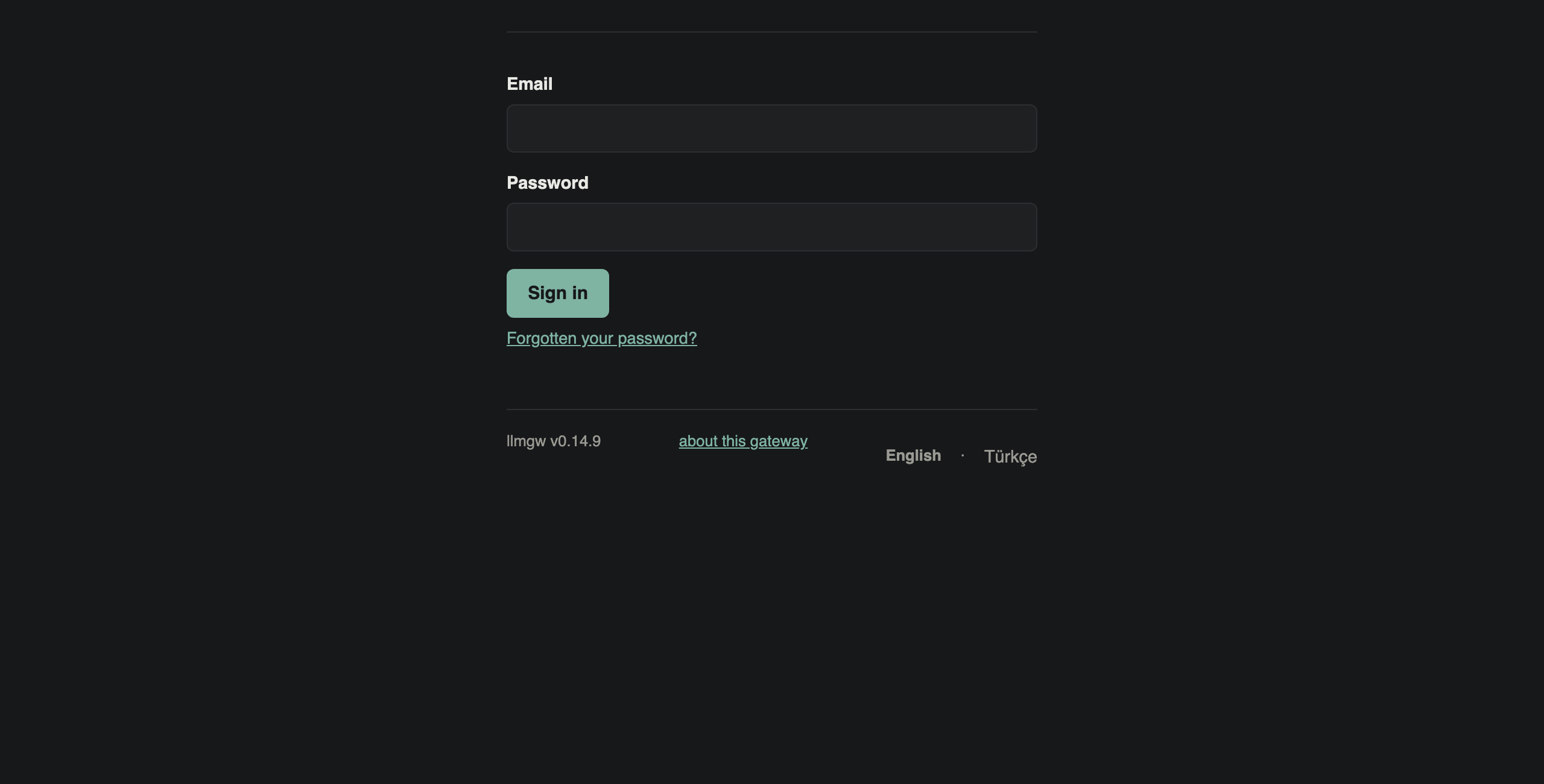
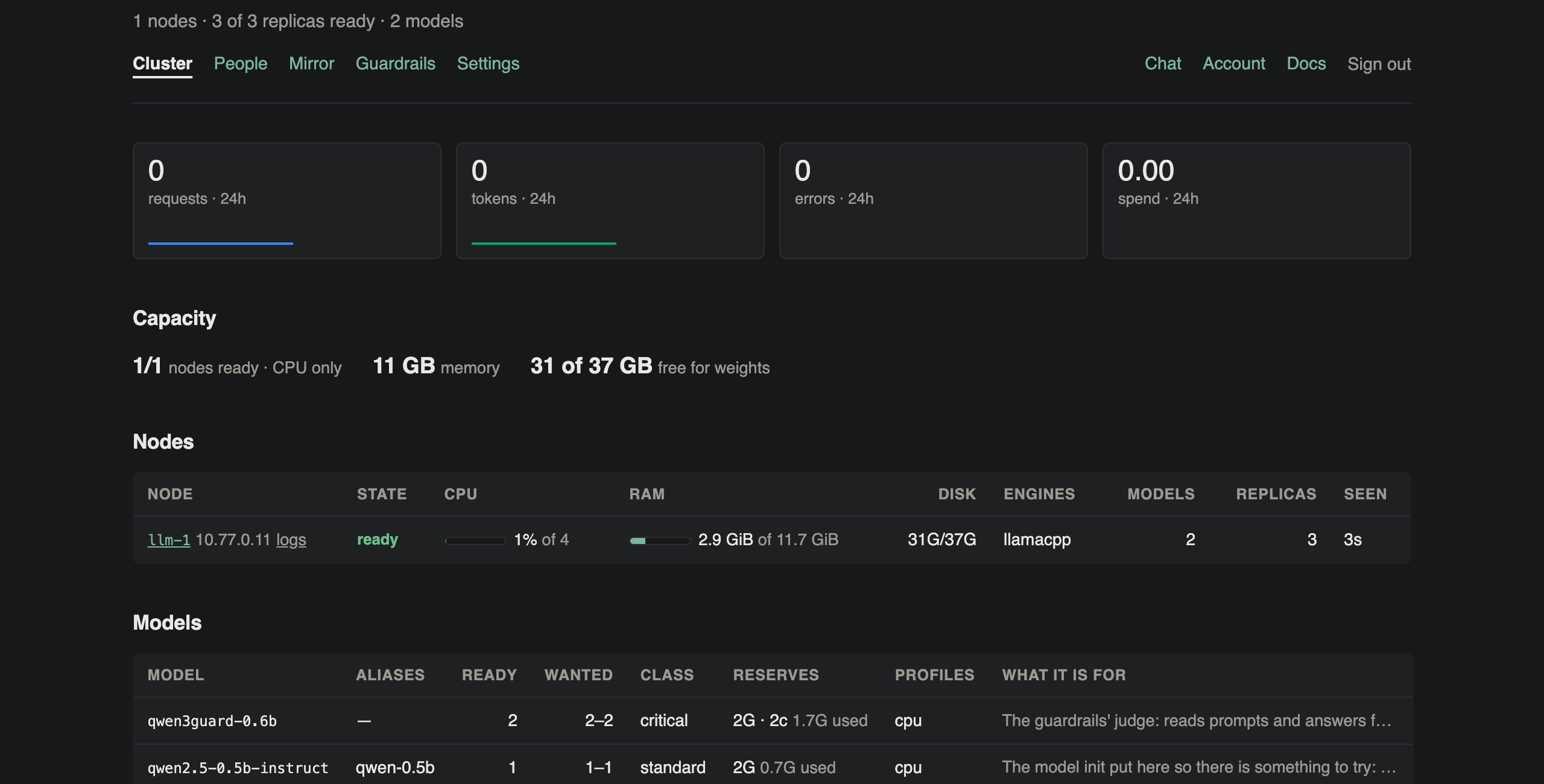
llmgw status is the whole system in a few lines: nodes, replicas, models, which control plane leads, and the store. Run again, sudo llmgw is the console. In a browser, http://<first machine>:8080 is the portal; sign in with the password from the last setup screen.
sudo llmgw status
sudo llmgw # the consoleilker@llm-1:~$ # Step 3: check it. The whole system, from any of the three machines. ilker@llm-1:~$ sudo llmgw status NODES 1 ready (of 1) REPLICAS 3 ready MODELS 2 of 2 have the replicas they asked for CONTROL llm-1 leads (this one), llm-2 standing by, llm-3 standing by STORE llm-2 leads, llm-3 streaming (0 B behind) ilker@llm-1:~$ # Run again, llmgw is the console. ilker@llm-1:~$ sudo llmgw ilker@llm-1:~$
Step 4
The first request
With a key from the account page.
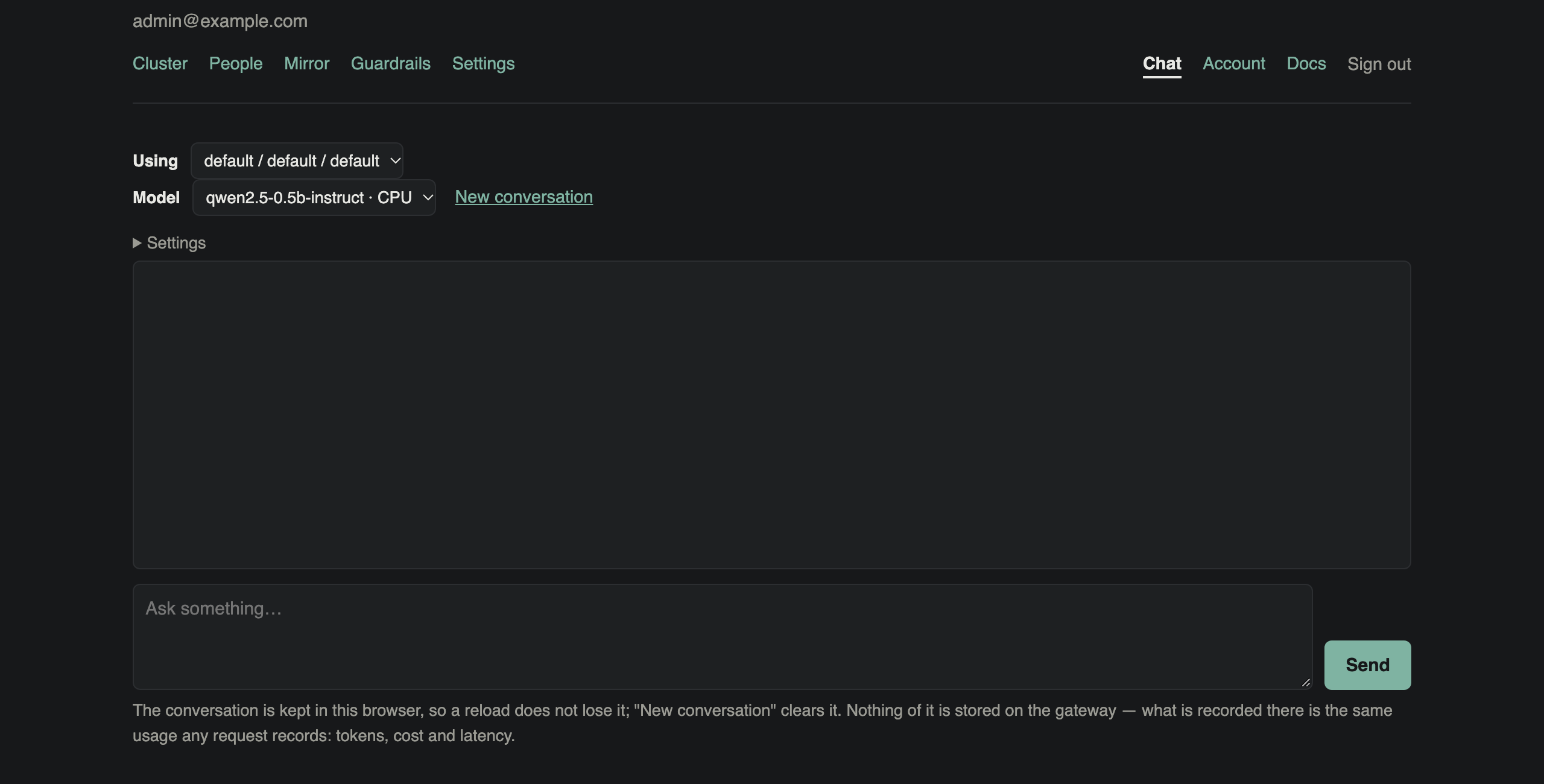
On the account page, Create a key: it is shown once. Any OpenAI client works with it; only the base URL changes, to http://<first machine>:8080/v1. The chat page answers too, with the same models.
export LLMGW_API_KEY=sk-llmgw-…                   # from the account page
curl http://<first machine>:8080/v1/chat/completions \
  -H "Authorization: Bearer $LLMGW_API_KEY" \
  -H "Content-Type: application/json" \
  -d '{"model": "qwen-0.5b", "messages": [{"role": "user", "content": "hello"}]}'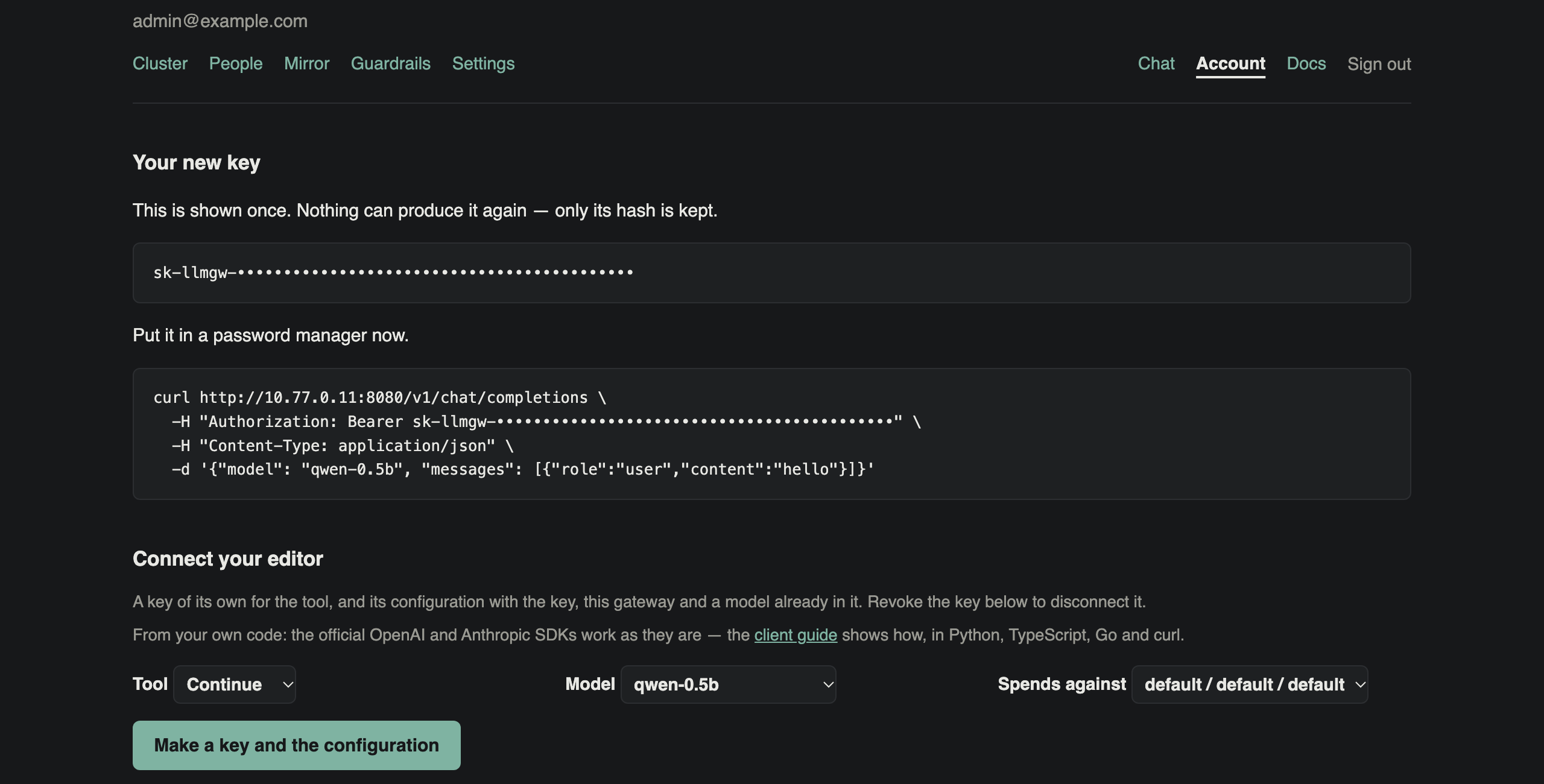
ilker@llm-1:~$ # Step 4: the first request, with a key from the account page.
ilker@llm-1:~$ export LLMGW_API_KEY=sk-llmgw-•••••••••••••••••••••••••••••••••••••••••••
ilker@llm-1:~$ curl -s http://10.77.0.11:8080/v1/chat/completions -H "Authorization: Bearer $LLMGW_API_KEY" -H "Content-
Type: application/json" -d '{"model": "qwen-0.5b", "messages": [{"role": "user", "content": "In one sentence: what is an
 LLM gateway?"}]}' | python3 -c 'import json,sys; r=json.load(sys.stdin); print(r["choices"][0]["message"]["content"]);
print(r["usage"])'
An LLM gateway is a platform that connects Large Language Model (LLM) systems to enable seamless communication, processi
ng, and collaboration across different platforms.
{'completion_tokens': 31, 'prompt_tokens': 40, 'total_tokens': 71, 'prompt_tokens_details': {'cached_tokens': 39}}
ilker@llm-1:~$
What next
Each is in the console, under Do, as well as on the command line.
GPU nodes
sudo llmgw node add <user>@<address> logs in, installs llmgw, checks the node with llmgw doctor, and starts its agent. The node installs its engines itself.
Models
/admin/mirror → Explore models: what your nodes can run, downloaded once into the mirror, then served always on or on demand.
People
Accounts, organisations and projects, budgets and limits; single sign-on with Entra ID, Active Directory or OIDC.
HTTPS
Put Caddy or nginx in front of port 8080 before anyone outside a trusted network uses it. The configurations are on the about page.
If it goes wrong
What this install met, and what else is common.
| What you see | What to do |
|---|---|
starter model … has nowhere to run at the end of the install | The first machine has no room left after the judges. llmgw ctl explain-placement <model> says what it lacks. Give it more memory, or add a node, then run sudo llmgw again: it finishes what is missing. |
An answer comes back empty, with "finish_reason": "content_filter" | The guardrails' judge gave no verdict in time, and an unchecked answer is refused, not let through. The judge needs free cores; on a machine shared with a model it can miss its budget. Give the judges more cores, or a machine of their own. |
| The checks cannot log in to another machine | Many cloud images turn SSH password login off. Use a key file or the ssh agent instead, or a join code: llmgw join <code> on that machine. |
| A check fails: ports, clock, disk | Each says what it found. Fix it on that machine and press R on the checks screen. |
| Anything else about a machine | sudo llmgw doctor on it. --json writes everything it read, to send to whoever helps you. |